Define the major phases
Create frames for discovery, build, launch, or the stages specific to your work. Nested frames can hold teams or deliverables inside each phase.
 Infinite Whiteboard
Project planning
A task list tells you what exists. A spatial project map also shows how phases, decisions, dependencies, risks, reference material, and milestones affect each other.
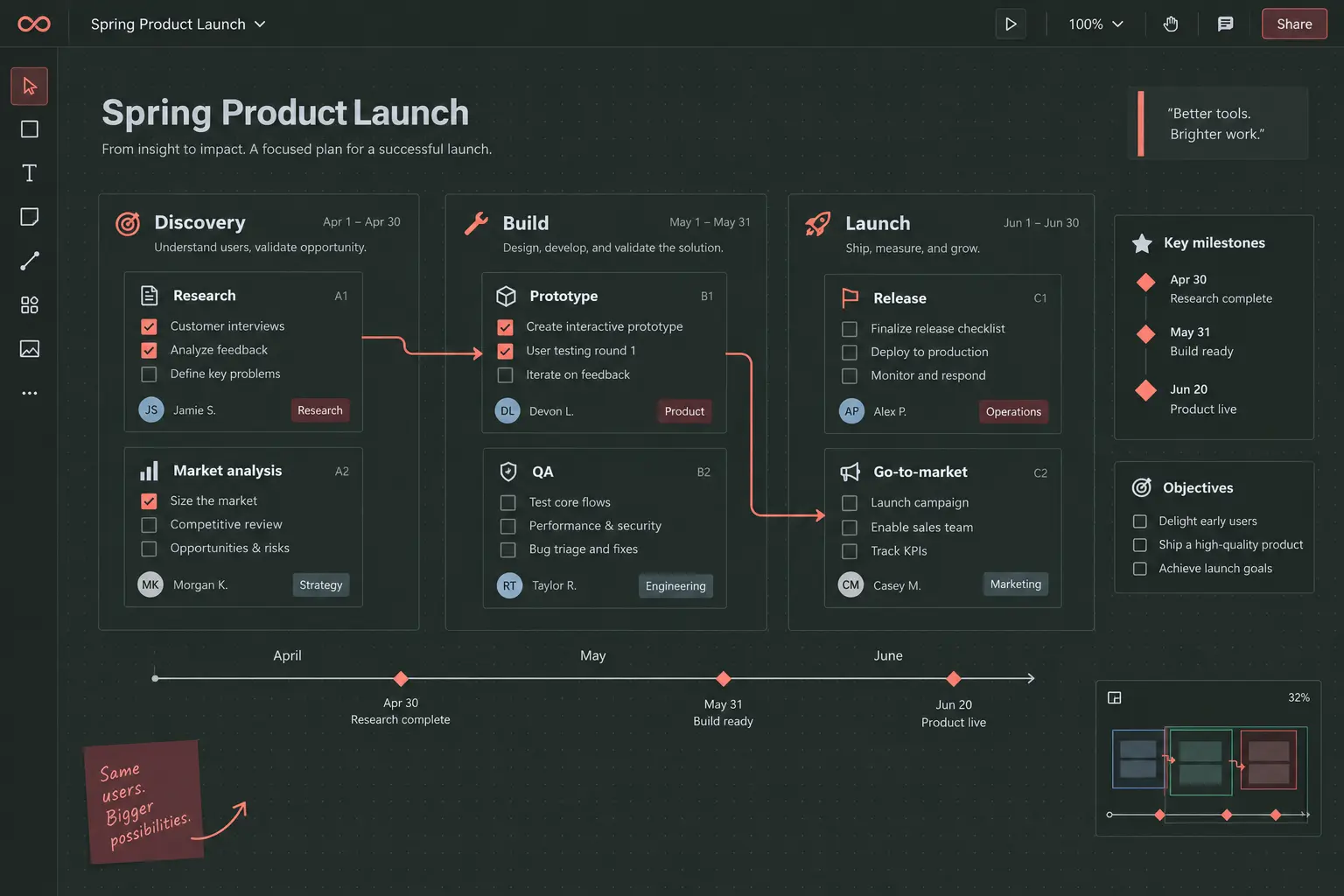
Plan the system
Project plans become misleading when every item appears independent. Infinite Whiteboard lets you separate phases with frames, place milestones on an axis, connect dependent work, and keep the decision or reference card that explains why a task exists.
The board can stay high level for a briefing or expand into detailed workstreams. Collapsible nested frames keep that detail available without requiring it to remain visible. Locks protect stable structure while bulk editing and automatic layouts make reorganizing active work faster.
Create frames for discovery, build, launch, or the stages specific to your work. Nested frames can hold teams or deliverables inside each phase.
Keep short task cards near briefs, diagrams, screenshots, and decisions. Tags can identify owners, status, discipline, or priority across the whole board.
Directional connections reveal prerequisites, handoffs, and consequences. Use labels and line styles so the relationship is understandable without narration.
Snap and distribute selected items, use row or column auto-layout, and attach milestones to a shared axis so position carries meaning.
Collapse detail, hide parked work, zoom to a selection, or jump to a named bookmark. The same board can support a working session and a concise update.
Automatic local history supports undo and restoration. Checkpoints mark significant moments, while a ZIP export provides a portable backup outside browser storage.