Start with something worth explaining
Place the central question where it can guide the board. Keep it specific enough that evidence and connections can move the learner toward an answer.
 Infinite Whiteboard
Teaching + learning
A visual lesson can hold the vocabulary, evidence, sequence, misconceptions, and explanation in the same field of view. Learners can move from isolated facts toward a connected mental model.
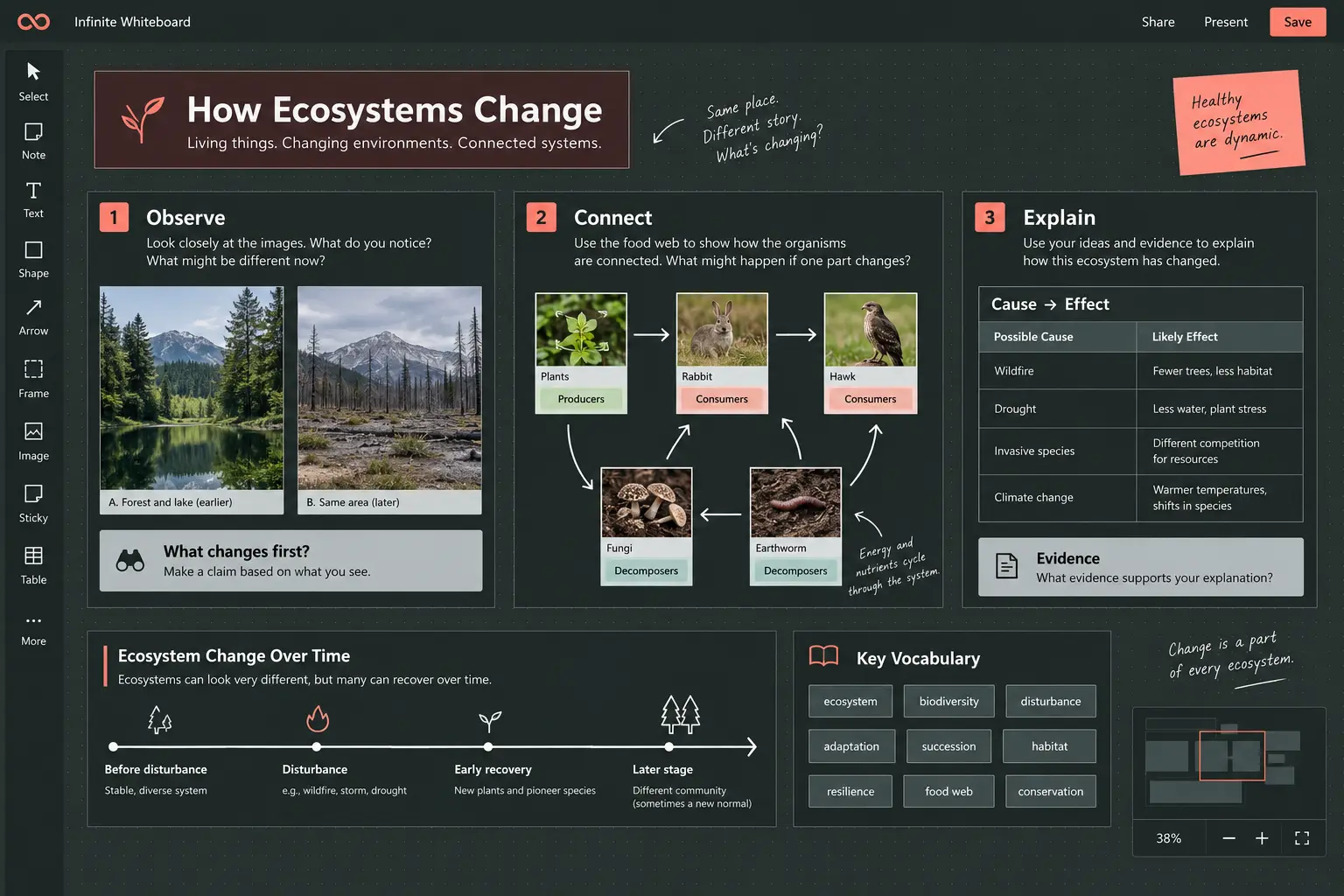
Learn through relationships
Linear notes are useful for reading, but many topics become clearer when learners can see cause, sequence, scale, and comparison. Infinite Whiteboard gives those relationships a visible form. A teacher can prepare a guided board; a learner can build one while reading, observing, or revising.
Frames divide a lesson into stages without separating the underlying concepts. Connections can label cause, contrast, evidence, or feedback. Images and diagrams sit beside written explanations, while an axis gives events, measurements, or process stages a common visual scale.
Place the central question where it can guide the board. Keep it specific enough that evidence and connections can move the learner toward an answer.
Add images, short extracts, data points, examples, and learner observations. Spatial proximity makes comparison possible before a formal explanation arrives.
Put terms beside the phenomena they describe. Markdown cards can hold definitions, examples, checklists, tables, or code without overwhelming the main view.
Draw and label causal, sequential, hierarchical, or contrasting relationships. Ask whether every connection can be explained rather than merely recognized.
Move examples, hide selected labels, or isolate one frame. Rebuilding a relationship or correcting a misplaced card turns review into active reasoning.
Zoom to the relevant section, use a bookmark for presentation order, and export a focused image or the complete editable board for later revision.